It’s incredibly simple to set up a WordPress website on Profreehost. Follow these steps to create your WordPress site.
-
Click the login link in the client section to access your control panel.
-
From the control panel, select Softaculous Apps Installer.
-
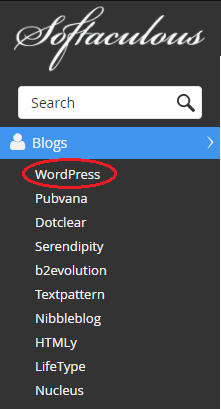
Select WordPress from the drop-down menu. You can find under in the Blog subsection.
-
Click Install tab and from there click Quick Install or Custom Install based on your preference.
-
From there on you can choose the Wordpress version (Latest is better) and redefine your login credentials as well as other minor details.
-
Lastly, you will be provided with several predefined themes for your Wordpress website which you can select based on your requirements.
-
After that click the Install button and the Softaculous Apps Installer will begin installing your Wordpress
-
That’s it. You can now openly explore and design your website based on Wordpress